Getting started
The System menu
Your status window, in the style of a System from Murim and leveling stories.
Opening it
Press K to open the System. Press K or Escape to close it. The game keeps running while it is open.
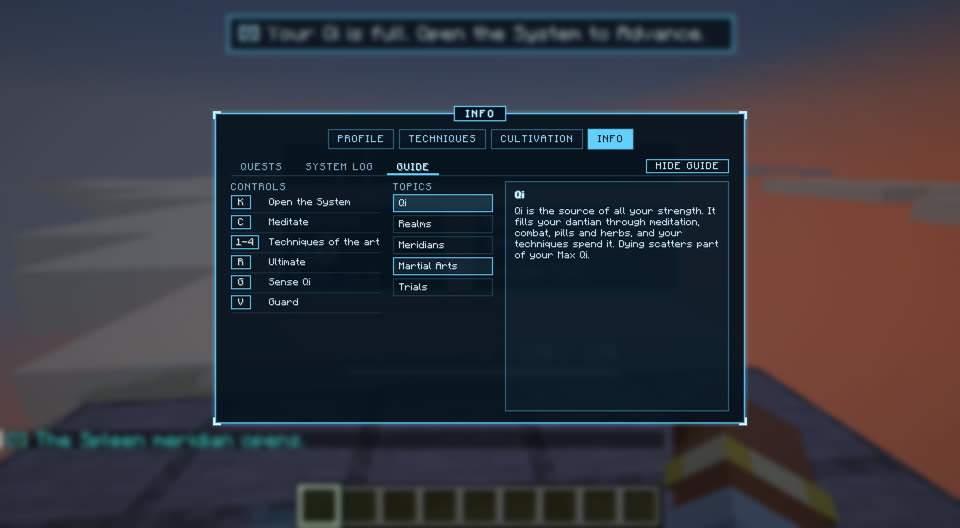
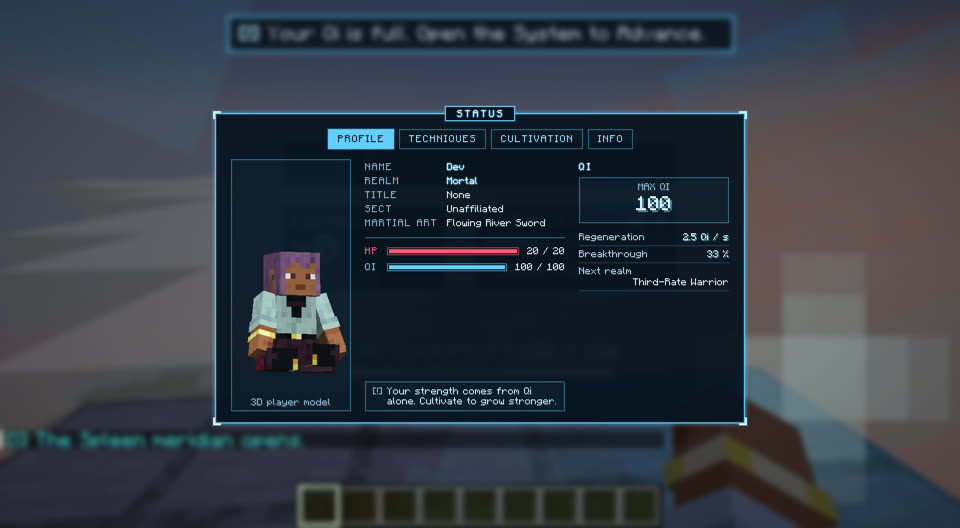
It is a dark, see-through window with a glowing cyan border. System messages start with [!] and appear in your chat.
Tabs
| Tab | Title | Shows |
|---|---|---|
| Profile | STATUS | Your 3D model, name, realm, health and Qi bars. There are no attributes: all your strength comes from Qi. |
| Techniques | MARTIAL ART | Your active martial art, its passive, techniques and ultimate, and the other arts you learned. |
| Cultivation | CULTIVATION | Two sub-tabs: Realm (your realm, stage, gauge, Advance button, the breakthrough trial and the inner world) and Meridians (your body with its meridians and real acupoints). |
| Info | INFO | Three sub-tabs: Quests, System Log and Guide (controls and topics). HIDE GUIDE / SHOW GUIDE hides or brings back the Guide. |
What is real today
The Cultivation tab is fully working: real realm, stage, gauge, Qi, meridians, the Meditate and Advance buttons, BEGIN TRIAL and ENTER INNER WORLD. The Profile tab shows your real name, health and Qi.
The martial arts shown in Techniques (Flowing River Sword, Iron Mountain Fist, Wandering Staff), and the quests and log in Info, are examples for now.